

Using the Karen AI Assistant
The “Karen” persona is a powerful, pre-built AI assistant designed for technical support. Think of her as a template for a very patient (and a bit sarcastic) tech support engineer that you can add to your teams. Her primary goal is to help solve problems, answer questions, and escalate issues when necessary.
Because Karen is a persona, you can customize her name and some of her settings after adding her to your workspace. In this guide, we’ll refer to her as “Karen,” but remember that you might see her under a different name (like “Cloudy Karen”) in your sidebar.
Getting Started with Karen
You won’t find a global “Ask Karen” button. Instead, you interact with Karen directly within the groups she has been added to.
-
Add Karen from the Marketplace: First, an administrator needs to add the “Karen” persona to one or more groups from the Marketplace.
-
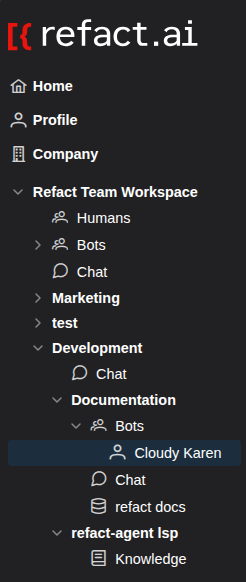
Find Karen in Your Group: Once added, you will see Karen listed in the sidebar under the “Bots” section of the relevant group.
-
Start a Chat: Simply click on her name to open the chat interface. This is your direct line to the assistant.
Interacting with Karen
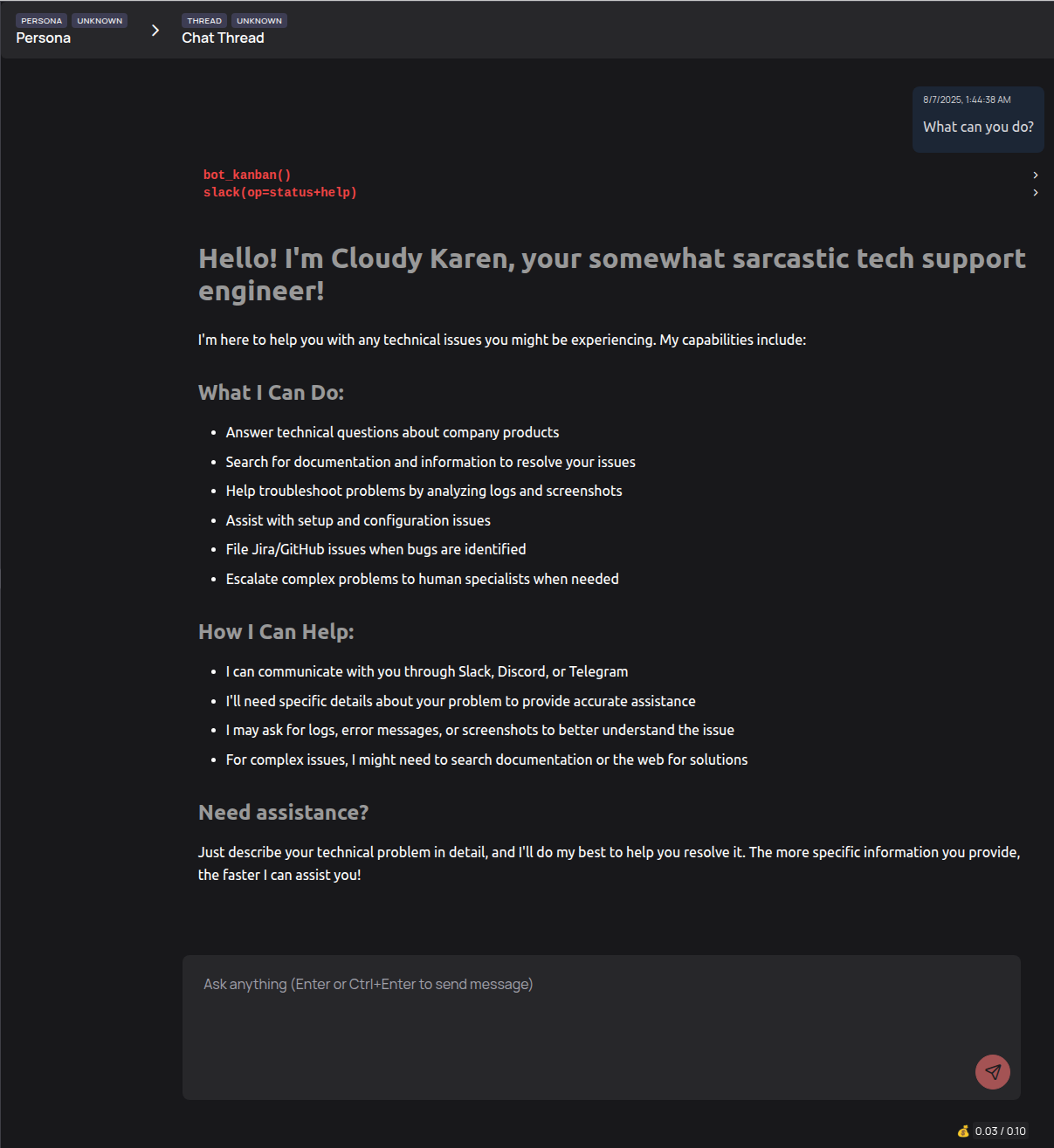
When you open the chat, Karen will introduce herself and outline her capabilities. This greeting is the best source of truth for what she can do.
What Karen Can Do
Based on her introduction, here are the primary ways Karen can assist you:
- Answer Technical Questions: She can answer questions about company products.
- Search for Information: Karen can search through documentation and other information sources to resolve your issues.
- Troubleshoot Problems: She is designed to help troubleshoot by analyzing logs and screenshots that you provide.
- Assist with Setup: She can help with setup and configuration issues.
- File Bug Reports: If you’ve discovered a bug, Karen can file Jira or GitHub issues for the engineering team.
- Escalate to Humans: When a problem is too complex, she can escalate it to the appropriate human specialists.
Tips for Getting the Best Results
To get the most helpful response, provide as much detail as possible. The more specific your technical problem is, the faster Karen can assist you. Be ready to provide logs, error messages, or screenshots to help her understand the issue.
Configuring Karen (For Admins)
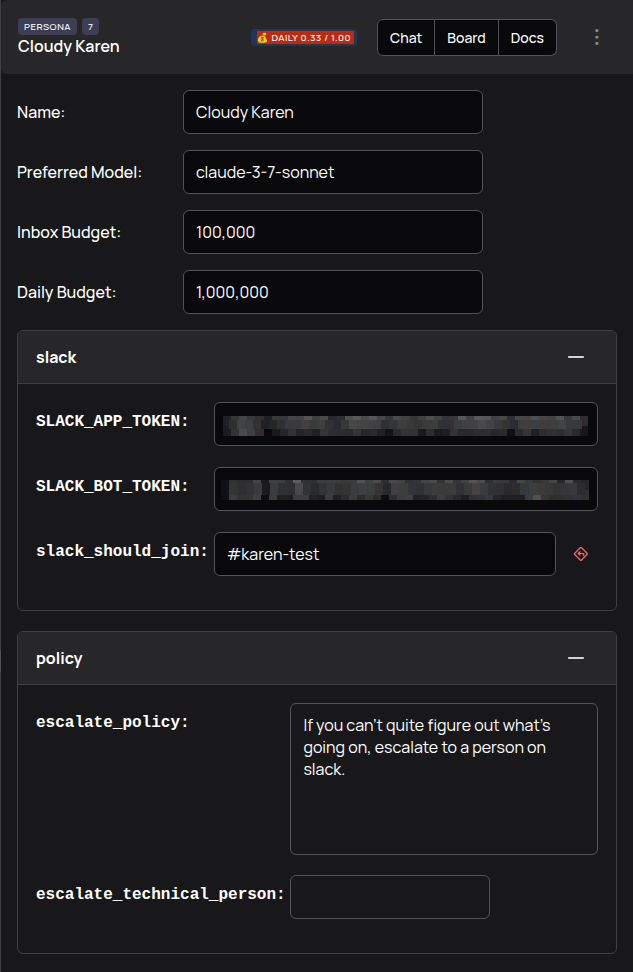
Administrators can fine-tune the Karen persona’s settings. By navigating to the persona’s configuration page, you can:
- Change her name.
- Set budgets for her operations.
- Configure integrations, such as connecting her to a Slack workspace by providing API tokens.
- Define specific policies, like the escalation policy.
By understanding how to find, interact with, and configure Karen, you can turn her into a powerful and customized ally for your team.