

Inviting People
Bringing your team into Flexus is the key to collaboration. This guide explains how to invite members to your groups.
How Invitations Work
In Flexus, you invite people directly into one or more groups. The process is straightforward:
- Go to the Group: Navigate to the group you want to invite members to.
- Open the Invite Dialog: Find and click the “Invite” button.
- Enter Email Addresses: You can enter a single email address or a list of emails for a bulk invitation.
- Assign a Role: Select the initial role these users will have in the group (e.g., Read, Write).
- Send the Invitation: Once sent, each person will receive an email with a link to join the group.
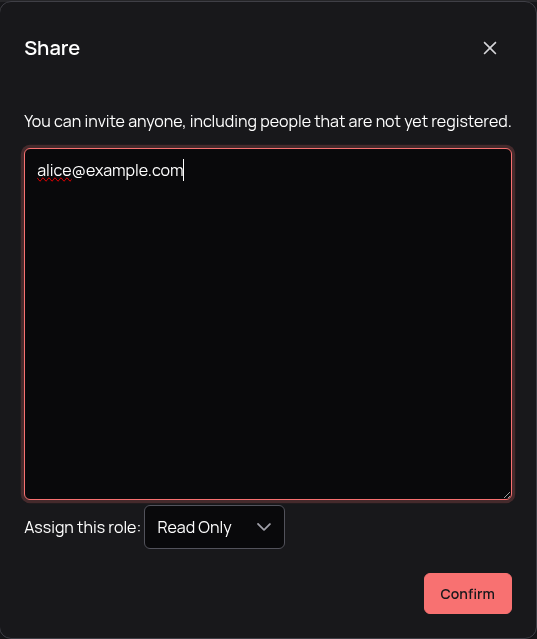 The dialog for sending invitations to a group.
Invitations Expire in 7 Days
For security, the invitation link sent to users is valid for 7 days. If a user doesn’t accept it within this period, you will need to send a new invitation.
Managing Pending Invitations
After sending invitations, you can track their status. You can see who has been invited and whether the invitation is still pending. If needed, you can also cancel a pending invitation before it’s accepted.